“`html
Key Takeaways:
Linux users have long dreamed of running Adobe Photoshop natively on their Linux systems, and a recent development suggests that dream might be closer to reality. The news that Photoshop installers now work on Linux using Wine has sparked excitement in the creative community, as it addresses a long-standing gap in the Linux ecosystem. For years, designers and artists have had to either dual-boot Windows or use alternative software, but now, with Wine’s improved compatibility, the possibility of a seamless Photoshop experience on Linux is becoming a reality.
The Long Road to Photoshop on Linux
For decades, Adobe Photoshop has been synonymous with Windows, a platform it was designed for. Linux users, however, have faced significant barriers when trying to use Photoshop. The lack of native support meant that many had to rely on virtual machines, dual-boot setups, or alternative graphics programs that couldn’t match Photoshop’s features. This created a divide in the creative community, where Linux users often felt left out of the mainstream design workflow. The demand for Photoshop on Linux has been persistent, with many users expressing frustration at the lack of options. Over the years, efforts to port Photoshop to Linux have been made, but they often resulted in unstable or incomplete versions. The challenge lies in the complexity of Photoshop’s code and the need for specific Windows APIs that Linux systems don’t natively support.
How Wine Makes It Possible
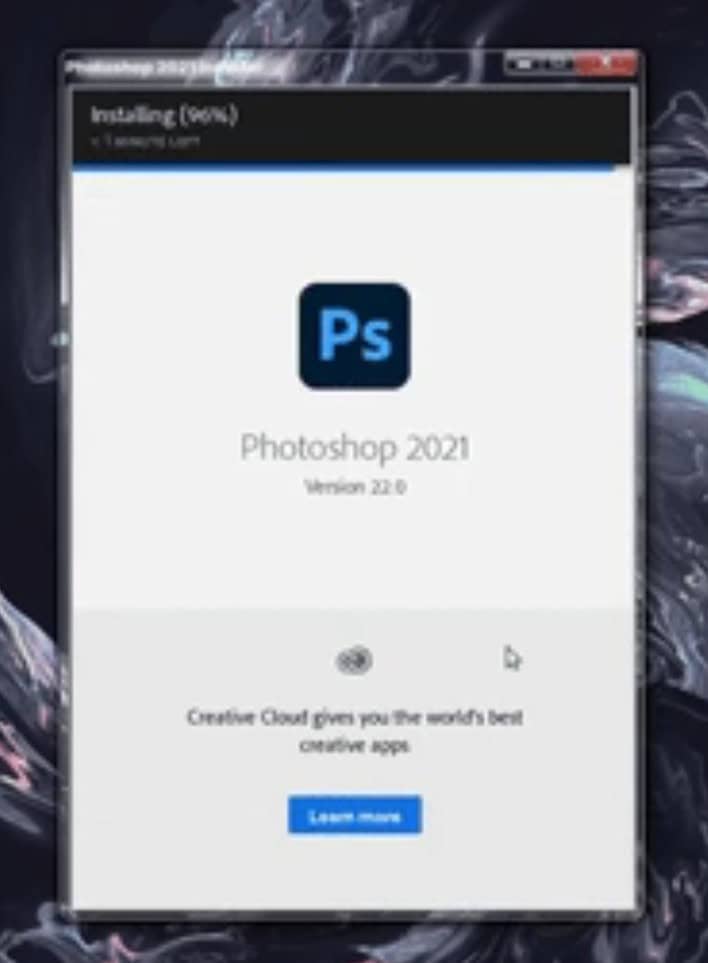
The solution to this long-standing problem lies in Wine, a compatibility layer that allows Windows applications to run on Linux and other POSIX-compliant operating systems. Wine works by translating Windows API calls into Linux equivalents, effectively creating a virtual Windows environment within Linux. This translation is not perfect, but with continuous development and optimization, Wine has become increasingly capable of running complex applications like Photoshop. For Photoshop, the key improvements have been in handling graphics rendering, memory management, and specific Windows-only features. Developers have spent years tweaking Wine to support Photoshop’s requirements, and the recent claims that installers now work suggest that these efforts have paid off. Wine’s ability to run Photoshop installers means that users can now simply download the Windows installer, run it through Wine, and have Photoshop up and running on their Linux systems.
Practical Steps for Linux Users
If you’re a Linux user eager to try Photoshop using Wine, here’s a step-by-step guide to get started. First, ensure your system meets the requirements: a modern Linux distribution (like Ubuntu, Fedora, or Linux Mint), at least 8GB of RAM, and a decent graphics card. Next, install Wine. On Ubuntu, you can do this via the terminal with the command “sudo apt update && sudo apt install wine”. Once Wine is installed, download the latest Photoshop installer from Adobe’s website. Make sure to get the correct version for your system (32-bit or 64-bit). After downloading, navigate to the installer file in your file manager and right-click it, selecting “Open with Wine Windows Program Loader”. Follow the installation wizard, which will be very similar to the Windows installation process. Once installed, you can launch Photoshop from your applications menu or by double-clicking the icon in your Wine folder. You may encounter some issues, such as missing plugins or performance problems, but these can often be resolved by updating Wine or installing additional libraries.
Future Implications
The success of Photoshop on Linux using Wine has broader implications for the entire Linux ecosystem. It demonstrates that Wine is becoming a reliable tool for running complex Windows applications, which could encourage more developers to port their software to Linux. This could lead to a more diverse range of creative tools available on Linux, benefiting both professionals and hobbyists. Additionally, the move towards cross-platform compatibility could reduce the need for dual-boot setups or virtual machines, making Linux more appealing to users who want to avoid Windows entirely. For Adobe, this could mean a new market opportunity, as Linux users who previously couldn’t use Photoshop might now be willing to purchase the software. However, there are still challenges ahead, such as ensuring full feature parity and stability. But for now, the development is a significant step forward for Linux users who rely on Photoshop.
Frequently Asked Questions
Conclusion
The news that Photoshop installers now work on Linux using Wine is a landmark development for the Linux creative community. It addresses a long-standing gap and opens up new possibilities for Linux users who want to use Photoshop without relying on Windows. While there are still some challenges to overcome, the progress made with Wine is encouraging. For now, Linux users can take advantage of this compatibility layer to install and use Photoshop, expanding their creative toolkit. As Wine continues to improve and more users adopt it, we may see even more Windows applications running on Linux, making the platform more versatile and appealing to a wider audience.
“`
Source: insidertechno.com


