Home Blog

5 Cool Gadgets That Use Your TV’s USB Port

0
5 Cool Gadgets That Use Your TV's USB Port
(Image credit: bgr.com)

Key Takeaways

  • Your TV’s USB port is likely underpowered, so stick to low-draw gadgets like lights and flash drives.
  • Ambient backlighting reduces eye strain and actually improves picture contrast.
  • Always check the amperage rating before plugging in hard drives or cooling fans.

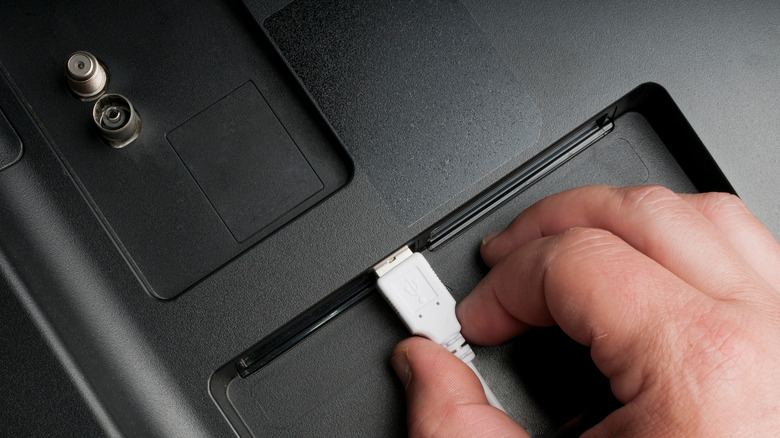
Look behind your television set. Go ahead, I’ll wait. It’s probably a dusty mess of HDMI cables and maybe a power brick or two, but sitting there quietly is usually a lonely USB port. Most people ignore it completely. They assume it’s just for service updates or that it doesn’t have enough juice to be useful.

That’s a mistake.

In my experience, that little port can solve a lot of annoying living room problems if you stop thinking of it as a computer connection and start treating it like a built-in power outlet. You just have to be smart about what you plug into it because, honestly, most TV USB ports are pretty weak. They aren’t designed to charge your iPad. But for the right gadgets? It’s a game changer.

1. USB-Powered LED Bias Lighting
Article image 1
(Image credit: bgr.com)

If you aren’t using bias lighting behind your TV, you’re missing out. It’s not just about aesthetics. When you have a bright screen in a pitch-black room, your eyes work overtime, leading to fatigue that you might not even notice until you have a headache.

A simple LED strip that plugs into that USB port solves this immediately. It casts a soft glow on the wall behind the set, which increases perceived contrast. The colors pop more, and your eyes relax. The best part? Since it’s hooked up to the TV’s USB port, the lights turn off automatically when you shut the TV down. No fumbling with switches. No leaving the room bathed in neon blue light because you forgot to hit the button on the power strip.

2. A Dedicated Media Drive

Article image 2
(Image credit: bgr.com)

This is the classic use case, but people mess it up. They buy a massive 4TB external hard drive, plug it in, and get frustrated when nothing happens or the TV keeps complaining about a “power overload.”

Here’s the deal: most TV USB ports only output about 500mA to 1A. That’s enough to spin a small flash drive or a low-power SSD, but it’s not enough for a mechanical desktop drive. If you want to watch movies directly off a USB stick without streaming them, grab a high-capacity flash drive or a SSD that doesn’t need external power.

It keeps your viewing private and local. Plus, it’s incredibly fast to navigate files compared to navigating clunky smart TV interfaces. Just check your TV’s manual first to see which file formats it supports—there is nothing worse than downloading a season of a show only to find out your TV hates the file type.

3. A Low-Power Cooling Fan
Article image 3
(Image credit: bgr.com)

Modern TVs are thin. Like, weirdly thin. While that looks great on the wall, it leaves absolutely zero room for airflow. If you game for a few hours or binge-watch a show in a hot room, your TV can get hot to the touch. Heat kills electronics faster than anything else.

There are clip-on cooling fans designed specifically for TVs that run off USB. I was skeptical of these at first, thinking they were gimmicks. But after an older plasma set of mine started shutting down from overheating, a tiny, quiet fan plugged into the back solved it.

You have to be careful here. If your TV is already struggling to deliver power, adding a fan might push it over the edge. But if you have a stable port, a little airflow can extend the life of your set significantly. It’s a cheap insurance policy.

4. Wireless Headphone or Speaker Dongles
Article image 4
(Image credit: bgr.com)

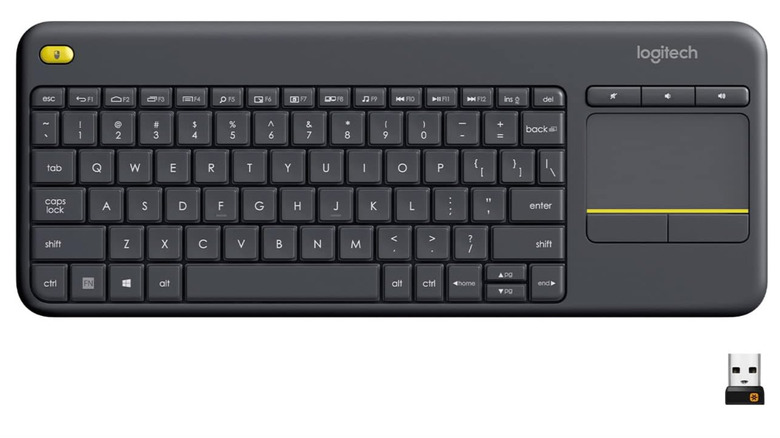
Sometimes you just want the volume up without waking up the whole house. Most modern TVs have Bluetooth, but let’s be real—the Bluetooth implementation on TVs is often terrible. Laggy audio, dropouts, and pairing issues are the norm.

A dedicated USB dongle for a pair of wireless headphones or a small speaker system is often more stable. It draws very little power, so it plays nice with the TV’s limitations. We’ve seen similar strategies work with portable setups; as discussed in our guide on 5 Cool Gadgets That Use Your Phone’s USB Port, using a dedicated dongle can bypass a lot of the built-in headaches you get with native hardware.

This turns that USB port into a private audio station. You plug it in, it pairs instantly, and you don’t have to mess with complicated settings menus every time you want to watch a late-night movie.

5. USB Charger for Controllers

Article image 5
(Image credit: bgr.com)

If you game on a console that sits near your TV, or if you use a universal remote, you know the pain of dead batteries. Usually, you have to snake a long charging cable all the way to the wall outlet behind your entertainment center. It’s ugly and inconvenient.

Instead, get a short USB charging cable. Just a few inches long. Plug your controller into the TV’s USB port when you’re done playing. It trickle-charges whenever the TV is on.

Is it fast? No. It won’t charge a dead controller in an hour. But if you leave it plugged in overnight while the TV is off (if the port supplies standby power) or just during a viewing session, it keeps your gear topped off without the cable clutter. This is particularly useful if you are tight on space. Much like the gear mentioned in 12 Must-Have Tech Gadgets That Will Transform Your Travel Experience, keeping your charging solutions minimal and integrated makes life much easier.

Conclusion

Article image 6
(Image credit: bgr.com)

Don’t let that USB port gather dust. It’s not going to replace a high-speed charging station for your phone, and it certainly can’t power a blender, but for specific, low-draw accessories, it’s the perfect hidden solution.

The trick is managing expectations. Understand that it provides a small amount of power and use it for things that need exactly that—a little bit of power. Once you stop trying to make it do too much, you realize it’s one of the most underrated features on your television. Try the lights first. You won’t look back.

Source: insidertechno.com

Firehound’s 10 Worst Data-Leaking Apps: Which Apps Are Worst?

0
Firehound's 10 Worst Data-Leaking Apps: Which Apps Are Worst?
(Image credit: mashable.com)
You’re sitting at a coffee shop. You just mentioned to your friend that you’re thinking of buying a tent for summer camping. You haven’t typed it into a browser. You haven’t even Googled it. You just said the words out loud. Five minutes later, you’re scrolling through Instagram, and there it is: an ad for a North Face tent.

It feels like a violation. It feels like your phone is listening to you.

Tech companies deny this, of course. They say it’s just coincidental algorithms based on your location and your friends’ interests. But honestly, the explanation doesn’t matter much when the result feels that intrusive. It’s not always a microphone, though. Often, it’s just sloppy coding. It’s apps leaving the back door wide open.

The Firehound Report

Article image 1
(Image credit: mashable.com)

Firehound recently took a deep dive into the messy reality of mobile app security. They weren’t looking for sophisticated state-sponsored hacking. They were looking at the apps you probably have installed right now. The findings were frustrating, if not entirely surprising. When we covered Firehound Ranks the 10 Apps That Worst Leak Your Data, the standout issue wasn’t just malicious intent; it was negligence.

Many of the worst offenders aren’t trying to steal your identity. They just want to sell your attention to the highest bidder, and they’ll ship your data to anyone willing to pay for it. The report highlights a specific tier of apps that treat user privacy like a suggestion rather than a requirement.

The apps that leaked the most data tended to fall into a few specific categories. Social media platforms are the usual suspects, but they aren’t the only ones. Free utilities—flashlight apps, PDF scanners, weather apps—are notorious for over-collecting data. Why does a simple flashlight app need access to your contact list and your precise GPS coordinates? It doesn’t. But that data package is valuable.

The “Free” Problem

Here is the thing about free apps. If you aren’t paying for the product, you are the product.

The Firehound analysis points out that many of these apps embed third-party software development kits (SDKs). These are little plugins that help developers make money or track how you use the app. But sometimes, these SDKs are leaky buckets. They send data to servers that aren’t secure. They scrape your contact list and upload it to a marketing firm.

It is exhausting to keep track of it all.

One of the most egregious behaviors identified in the report involves apps that read your clipboard. You copy a password or a two-factor authentication code, switch apps, and boom—the second app reads what you just copied. It’s a feature that was supposed to be helpful for pasting links, but now it’s a security risk.

A Different Approach Elsewhere

It’s not all doom and gloom, though. The reaction to data leaks varies wildly depending on where you live. In some parts of the world, authorities are stepping in to force better behavior.

Take Japan, for example. The situation there has gotten so out of hand with fraud and spam that law enforcement is getting involved directly. They aren’t just telling people to be careful; they are actively endorsing specific tools to block the bleeding. As we discussed in our guide on Japan Police Endorse Fraud Prevention Apps, there is a shift toward state-backed security recommendations.

It’s a stark contrast to the “Wild West” approach we see in many other app stores. Instead of letting users wade through the muck to find a safe app, the Japanese police are essentially curating a list of what won’t leak your data. It makes you wonder why that isn’t the standard everywhere else.

So, What Now?

Reading through lists of the “worst” apps can make you want to throw your phone in a river. That’s a bit dramatic, but the feeling is valid. You can’t live off the grid forever, but you can be smarter about what lives on your home screen.

Start by auditing the apps you use. If you haven’t opened that generic photo editor in six months, delete it. If a flashlight app asks for your location, deny it. Better yet, use the built-in flashlight on your phone and skip the app entirely.

The bottom line is that privacy is becoming a luxury good. The apps that respect your data usually cost money or have a strict business model that doesn’t rely on selling your secrets. Firehound’s list is a wake-up call, but it’s up to us to actually answer it. Be cynical. Check the permissions. Stop treating “Agree” on the Terms of Service as just a formality. It’s the only way to stop the leaks.

Source: insidertechno.com

Unmasking Manipulative Language: How ‘RageCheck’ Detects Bias in News

0
Unmasking Manipulative Language: How 'RageCheck' Detects Bias in News
(Image credit: lifehacker.com)

Key Takeaways

  • Bias in news isn’t always about lies; it’s often about the specific adjectives and verbs chosen to trigger an emotional response.
  • RageCheck helps by stripping away the emotional dressing so you can see the facts underneath.

We have a real problem with how we consume information these days. You scroll through a feed, read a headline, and feel your blood pressure spike before you’ve even clicked the link. It’s exhausting. Most of us assume the news is just reporting what happened, but if you look closer, you’ll see that’s rarely the case. The language is doing the heavy lifting, and it’s usually designed to make you angry or scared.

That’s where the concept of “RageCheck” comes in. It sounds aggressive, but the actual goal is pretty calming. It’s about spotting the manipulation.

The Subtle Art of Emotional Manipulation

Let’s be real about what modern media is doing. It isn’t always overt propaganda where they are lying to your face. Often, it’s much sneakier. It’s the difference between saying a politician “challenged” a claim versus “attacked” it. One sounds like a debate; the other sounds like a bar fight. These choices aren’t accidental. Writers and editors know exactly which words generate traffic, and unfortunately, outrage drives clicks.

When you read an article that feels like it’s screaming at you, take a step back. You are probably being manipulated by loaded language. This is the stuff that bypasses your logic centers and goes straight for your gut. It makes critical thinking nearly impossible because you’re too busy feeling indignant.

How RageCheck Finds the Triggers

So, how do we fight back? You can’t fact-check every single sentence you read; nobody has time for that. You need a filter. RageCheck operates by scanning text for specific patterns that indicate bias or emotional loading. It looks for adjectives that add drama without adding facts.

As we discussed in our guide on how RageCheck points out manipulative language in news articles, the tool is essentially a spotlight for the rhetoric. It highlights the words that are trying to push your buttons. If you see a high concentration of emotionally charged words in a piece that is supposed to be objective reporting, that’s a huge red flag.

Why This Matters for Your Daily Routine

Honestly, you might wonder why it even matters. Who cares if a writer uses spicy language? It matters because it ruins your ability to make good decisions. When your news diet is 90% outrage, your worldview gets skewed. You start thinking the world is falling apart every single Tuesday.

Using a tool or a mindset that checks for this bias helps you reclaim your headspace. It lets you separate the actual event from the commentary surrounding the event. You get to decide if something is actually a crisis, or if it’s just being framed that way to keep you scrolling. It’s a practical way to stay informed without being constantly agitated.

Practical Tips to Spot It Yourself

You don’t need software to start doing this today, though software helps. You just need to slow down a little. When a headline makes you want to scream into the void, pause. Look at the verbs. Are they active? Are they violent? Look at the adjectives. Are they necessary?

If you strip away the words that convey emotion and just look at the nouns and the core actions, the story often changes completely. A “shocking collapse” might just be a “2% drop in the market.” One makes you want to sell your stocks; the other is just a Tuesday in finance. See the difference?

Conclusion

We aren’t going to fix the media landscape overnight. The incentives for rage-baiting are too high. But we can stop being easy targets. By using tools like RageCheck or simply applying a more skeptical eye to the language used in reporting, we take back control. It’s about reading to understand, not reading to react. Keep your head clear and your wits sharp.

Does this mean I shouldn’t trust any news?
Not at all. It means you should read news critically. Trust the facts, but verify the framing. Just because a source uses manipulative language doesn’t mean the core event didn’t happen, it just means you need to dig a bit deeper to find the truth.


Can bias tools actually understand nuance?
They are getting better, but no tool is perfect. They are great at spotting patterns and loaded words that humans might miss because we’re used to them. However, you still need to use your own judgment to understand the context of a sentence.


Is manipulative language always illegal?
No, and it usually isn’t. It’s unethical in journalism, but protected as free speech. This is why personal vigilance and tools to help filter information are so important—nobody is going to regulate word choice for us.


How do I explain this to friends who share fake news?
Don’t be a jerk about it. Instead of telling them they’re wrong, ask them to look at the adjectives in the article. Ask, “Would this story sound as scary if they removed these three words?” It’s usually a better way to get people thinking than just arguing.

Source: insidertechno.com

Millions of Earbuds & Headphones Have a Serious Android Security Flaw—You Need to Know

0
Millions of Earbuds & Headphones Have a Serious Android Security Flaw—You Need to Know
(Image credit: lifehacker.com)

We tend to treat our wireless earbuds and headphones like simple appliances. You put them in, hit connect, and the music plays. We don’t really think of them as computers, but that is exactly what they are—tiny computers sitting in your ears, connected to your smartphone via a complex digital handshake. And right now, millions of those devices have a serious security flaw that puts your Android phone at risk.

This isn’t some theoretical threat that might happen in a lab somewhere. It is a real vulnerability affecting how Bluetooth devices communicate with the Android operating system. If you are using wireless audio gear, you need to pay attention to this.

The Problem With Pairing

The core issue lies in the pairing process. We’ve all done it a thousand times. You turn on Bluetooth, your phone sees a device, you tap it, and they are friends. But in the background, a lot of data is being exchanged. As we covered in our deep dive on this specific vulnerability, the flaw allows attackers to potentially intercept that handshake or send malicious data packets to your phone.

It sounds technical, but here is the plain English version: a bad actor with the right tools could trick your phone into thinking it is connecting to your trusted headphones. Once that trust is established, they might be able to execute code or access data they shouldn’t. It is a Man-in-the-Middle attack, and it relies on the fact that we are generally pretty cavalier about what we connect to.

What makes this frustrating is that it doesn’t require you to download a malicious app or click on a phishing link. It targets the Bluetooth stack itself. You could just be sitting in a coffee shop, trying to pair your noise-canceling cans, and walk right into a trap.

Why This Is Hard to Fix

Here is the tricky part. This isn’t just an Android problem, and it isn’t just a headphone problem. It’s a combination of both.

Google updates Android regularly to patch these kinds of holes, but they can only do so much. The headphone manufacturers also need to update their firmware to close the loophole on their end. If you have a pair of three-year-old earbuds from a brand that doesn’t push software updates anymore, you might be out of luck.

We talk a lot about how Android is evolving. As discussed in our guide on Android 16’s split screen features, Google is constantly refining the user experience and multitasking capabilities. But it’s these underlying security frameworks—the plumbing that nobody sees—that actually needs the most work. Split screens are nice; secure Bluetooth connections are essential.

What You Should Do Right Now

Don’t panic. You don’t need to throw your earbuds in the trash. But you do need to be a little smarter about how you use them.

First, check for updates. Go into the companion app for your headphones—whether it’s Sony, Bose, Sennheiser, or even a budget brand—and see if there is a firmware update waiting. Install it. Then, go to your Android phone’s settings and ensure you are running the latest security patch. Google usually patches these vulnerabilities pretty quickly once they are disclosed.

Second, be careful with public pairing. If you are in a crowded place and your phone asks to pair with a device you don’t recognize, or if a device name looks weird (like “Headphones 12345” instead of your actual device name), don’t do it. Turn off your Bluetooth entirely if you aren’t using it. It saves battery and removes the attack surface.

The Bigger Picture

This flaw is a reminder that our digital lives are held together by software that is often more fragile than we realize. We trust these devices implicitly. We wear them, we talk to them, and we let them access our microphones and contacts. When that trust is broken, even by a small coding error in a Bluetooth driver, it feels personal.

The tech industry loves to sell us on convenience. Tap to pair. Instant connectivity. Seamless integration. But convenience often comes at the cost of security, and we are usually the ones who pay the price when things go wrong.

Conclusion

Keep your devices updated. It is the single most effective thing you can do to protect yourself. While the specific details of this flaw will eventually be patched and forgotten, the reality is that another vulnerability will take its place next week. Stay alert, keep your software fresh, and maybe think twice before pairing your headphones in a crowded hacker conference.

FAQs

Is this dangerous for the average person?
Honestly, probably not. An attacker has to be physically close to you and specifically targeting you. It’s unlikely you’ll be randomly hacked in the grocery store, but the risk is real enough that you should update your gear.

Do iPhones have this problem too?
This specific flaw targets the Android Bluetooth stack. However, that doesn’t mean iOS is immune to all Bluetooth issues. Security researchers find vulnerabilities in Apple’s software all the time, but this particular bug is an Android issue right now.

Can I still use Bluetooth safely?
Yes. Just be smart about it. If you aren’t using Bluetooth, turn it off. Don’t accept random pairing requests from unknown devices. And update your firmware.

How do I update my earbuds?
You usually need the manufacturer’s specific app. Look for the app that controls your EQ or noise cancellation settings. Inside that app, there is usually a “Device Update” or “Firmware” section.

Will buying new headphones fix this?
Not necessarily. New headphones can have vulnerable firmware too. The best bet is to buy reputable brands that have a history of pushing security updates, and then actually install those updates.

insidertechno.com

Visible Offering Credits for This Week’s Verizon Outage

0
Visible Offering Credits for This Week's Verizon Outage
(Image credit: lifehacker.com)

Key Takeaways:

  • Visible is automatically applying account credits to customers impacted by the recent Verizon network outage.
  • No manual claim or customer service contact is required to receive the compensation.
  • The move highlights the commitment of MVNOs to maintain customer trust during infrastructure failures.
  • Wireless connectivity has become a utility as essential as electricity or water in modern society. When that infrastructure fails, the impact is immediate and widespread, disrupting everything from emergency communications to daily business operations. The recent service disruption affecting Verizon users created significant downtime, and Visible, the digital carrier operating on Verizon’s network, has responded with a definitive plan to compensate its subscribers for the inconvenience.

    The network failure, which lasted for several hours, prevented countless customers across the United States from making calls, sending texts, and accessing mobile data. This incident served as a stark reminder of the complexities within telecommunications infrastructure and the reliance of Mobile Virtual Network Operators (MVNOs) on host carriers. While Verizon engineers worked to resolve the technical issues behind the scenes, the fallout extended to Visible users who experienced the same loss of service. As we discussed in Visible Is Also Offering a Credit for This Week’s Verizon Outage, the company is taking concrete steps to mitigate customer frustration through direct financial reimbursement.

    Details of the Compensation

    Visible has confirmed that it will provide a credit to the accounts of customers who were affected by the interruption. This gesture functions as a refund for the time the service was unavailable, ensuring that customers do not pay for days when they could not utilize their wireless plan. The company has designed this process to be as seamless as possible. The credit is expected to be applied automatically, meaning subscribers do not need to navigate complex customer service menus or file manual claims to receive the benefit. This hands-off approach is a critical component of effective crisis management in the digital age.

    The Impact on Users

    For many, the outage was more than just a minor annoyance; it represented a break in the vital link to work, family, and emergency services. Reports surfaced of users unable to contact rideshare services, receive two-factor authentication codes, or stay in touch with family members. When service is restored, there is often a backlog of notifications and alerts that can overwhelm a device. Users looking to streamline their mobile experience and cut through the noise might find it helpful to learn more about This Free Android App Blocks Useless Notifications and Lets Important Ones Through. Managing digital clutter is essential for maintaining productivity, especially after a period of forced disconnect.

    Why Network Reliability Matters

    Reliability is the single most important metric for wireless carriers. While pricing plans and data perks attract new customers, it is consistent uptime that retains them. For Visible, which operates as a low-cost alternative to major carriers, maintaining a reputation for reliability is challenging because they do not own the towers they utilize. They are at the mercy of Verizon’s hardware and software stability. However, how a company handles the aftermath of an outage is just as important as preventing one. By stepping up to offer credits without being prompted, Visible is demonstrating that they value their customer base enough to absorb the cost of their partner’s failure.

    Checking Your Account Status

    Customers should keep an eye on their monthly statements over the coming billing cycles to verify that the credit has been applied. Since the adjustment is automatic, it should appear as a separate line item reducing the total amount due. If a customer believes they were impacted but does not see the credit within a reasonable timeframe, reaching out through the Visible app’s chat feature is the most efficient way to resolve the discrepancy. It is important to note that the credit typically applies only to active accounts during the outage window; those whose service was already suspended or inactive prior to the event may not be eligible.

    Future Implications for MVNOs

    This incident sets a precedent for how digital carriers should handle widespread outages. In the past, prepaid carriers were often slower to react to network failures, sometimes leaving customers in the dark regarding compensation. Visible’s swift response puts pressure on other MVNOs to adopt similar policies. As the market becomes increasingly competitive, transparency and accountability are becoming key differentiators. Users now expect proactive communication and fair compensation, and carriers that fail to meet these expectations risk losing subscribers to more responsive competitors.

    Do I need to contact Visible support to get my credit?
    No, the credit is being applied automatically to accounts of customers who were affected by the outage. You should see the adjustment on your bill without needing to file a claim.


    How much will the credit be?
    While exact amounts can vary based on the specific plan and billing cycle, the credit is intended to cover the cost of service for the time the network was down.

    Conclusion

    Service interruptions are an unfortunate reality of our interconnected world, but the corporate response determines long-term customer loyalty. Visible’s decision to issue automatic credits for the Verizon outage demonstrates a proactive approach to customer service that prioritizes user satisfaction over short-term revenue retention. By acknowledging the inconvenience and acting without requiring users to jump through hoops, the carrier sets a standard for accountability in the prepaid wireless market. This incident serves as a reminder that while technology can fail, a company’s integrity is defined by how it fixes the problem.

    Source: insidertechno.com

    Samsung Odyssey G5 Gaming Monitor Just $250 Right Now!

    0
    Samsung Odyssey G5 Gaming Monitor Just 0 Right Now!
    (Image credit: lifehacker.com)

    Of course. Here is the rewritten text, following the instructions to make it sound natural, human, and opinionated.

    Key Takeaways:

  • The Samsung Odyssey G5 has a massive 1000R curved screen for total immersion.
  • A price drop to $250 makes high-end 144Hz refresh rates incredibly affordable.
  • This deal offers a premium visual upgrade without breaking the bank.
  • Imagine this: You’re in the final seconds of a game. The world around you is a mess, explosions lighting up the edges of your vision. You lean forward, trying to peek around a corner, but your flat, boxy monitor feels like a window into another room, not a portal you’re actually inside. The edges feel far away, breaking the spell. Then an enemy pops up on the left, but the motion blur turns them into a blurry smear. You shoot, but you miss. The frustration isn’t about your skill; it’s about your gear being too slow.

    For a long time, getting past that barrier meant spending a fortune. However, the market has shifted, and high-performance displays are becoming accessible to everyone. The Samsung Odyssey G5 Gaming Monitor Is $250 Right Now, a price point that is turning heads and changing the game for budget-conscious gamers everywhere.

    **A New Level of Immersion**

    The first thing you notice about the Odyssey G5 is not the price tag, but the shape. It’s not flat; it has an aggressive curve. This is 1000R curvature, matching the natural curve of the human eye. When you sit in front of it, the screen wraps around you. It creates a sense of depth that flat panels simply cannot replicate. It’s less like looking at a picture and more like looking through a cockpit windshield. Whether you’re racing through rain-slicked streets or exploring vast fantasy landscapes, the peripheral engagement keeps you locked in the action. This design choice isn’t just for show; it reduces eye strain by maintaining a consistent focal distance, allowing those late-night gaming sessions to last a bit longer.

    **Speed Matters in the Heat of Battle**

    Visuals are important, but in gaming, speed is king. This is where the technical specs translate into real-world wins. The Odyssey G5 boasts a 144Hz refresh rate. To understand why this matters, consider that standard monitors usually refresh 60 times a second. Doubling that rate makes motion look incredibly smooth. The animation becomes fluid, helping you track targets with precision. Coupled with a 1ms response time, the monitor eliminates the ghosting that often plagues cheaper screens. Fast-moving objects remain sharp. When you flick your mouse to snap aim at a target, the image keeps up instantly. It’s the kind of responsiveness that gives you a genuine competitive edge.

    **Why This Deal Is Significant**

    Finding a monitor that balances high refresh rates with a sharp WQHD resolution usually requires a hefty investment. Typically, you would expect to pay well over $400 for these specifications. Seeing the price slashed to around $250 is a rarity. It bridges the gap between entry-level gear and the professional setups used by streamers and esports athletes. For students or anyone building their first PC, this opens the door to a premium experience that was previously out of reach. It’s a smart financial move that pays off in the quality of your entertainment. As we discussed in our breakdown of the offer, the value proposition here is hard to ignore.

    **Completing Your Setup**

    While a great monitor is the window to your gaming world, the computer driving it is just as important. If you’re in the market for a complete overhaul, it’s worth looking at other electronics currently seeing price drops. For those who need versatility alongside their gaming power, you might want to learn more about this Samsung 2-in-1 laptop and tablet combo which is currently seeing a massive discount. Pairing a portable powerhouse with a dedicated desktop monitor creates a flexible workflow that handles both work and play with ease.

    **Visuals That Pop**

    Beyond the speed and the curve, the picture quality is striking. The Odyssey G5 utilizes AMD FreeSync Premium to ensure that the monitor and your graphics card are in perfect sync. This technology prevents screen tearing—a jarring visual glitch where the top half of the screen shows one frame and the bottom half shows another. The result is a seamless image that lets you stay focused on the game, not the hardware. The color accuracy is also noteworthy, delivering deep blacks and bright whites that make games look cinematic.

    **Is It Right for You?**

    Upgrading your setup is always a personal choice, but certain indicators tell you when the time is right. If you’re still using an old office monitor or a TV for gaming, you’re likely missing out on a massive portion of the experience developers intended. The jump to 144Hz is often described as “eye-opening” by first-time users. Once you see it, it’s difficult to go back. Similarly, the immersion of a curved screen changes how you perceive game environments. At the current price point, the barrier to entry has been removed. It’s no longer a question of if you can afford it, but when you will decide to take the plunge.

    Does the curved screen affect the way I work or do homework?
    Not at all. In fact, the 1000R curvature can be beneficial for work as it mimics the natural field of view, potentially reducing eye strain during long typing or reading sessions.

    Do I need a powerful computer to run this monitor?
    You need a computer capable of outputting at 144Hz to get the full benefit, but the monitor will work with any standard HDMI or DisplayPort connection, even at lower refresh rates.

    Is this monitor compatible with consoles like the PS5 or Xbox Series X?
    Yes, it works well with consoles. While next-gen consoles aim for 120Hz, the Odyssey G5 will provide a smooth, high-quality experience, though you may need to adjust settings to get the best performance.

    **Conclusion**

    Gaming is about getting lost in the moment. The right monitor is the bridge between you and the game. And right now, the Samsung Odyssey G5 is the perfect sign. It’s a premium experience at a price that’s hard to ignore. If you’ve been holding out for a reason to ditch that old, blurry screen, this is it.

    Source: insidertechno.com

    Samsung 2-in-1 Laptop/ Tablet Combo: $450 Off Right Now!

    0
    Samsung 2-in-1 Laptop/ Tablet Combo: 0 Off Right Now!
    (Image credit: lifehacker.com)

    Key Takeaways:

  • Samsung is currently offering a massive $450 discount on its high-end Galaxy Book2 Pro 360.
  • The device features a vibrant AMOLED touchscreen and includes the S Pen for productivity.
  • This price drop positions the 2-in-1 as a top contender for students and professionals seeking versatility.
  • Samsung has officially slashed the price of one of its most versatile computing devices, offering a significant $450 discount on a flagship 2-in-1 machine. This reduction brings the Galaxy Book2 Pro 360 down to a price point that challenges budget laptops while retaining premium specifications. The move signals an aggressive push by Samsung to capture market share in the convertible laptop sector, just in time for the back-to-school and holiday shopping seasons.

    Hardware Specifications and Display Quality

    Article image 1
    (Image credit: lifehacker.com)

    The Galaxy Book2 Pro 360 is built around a stunning 15.6-inch Super AMOLED display. Unlike standard LED panels found in many laptops at this price bracket, the AMOLED screen offers deep blacks and vibrant colors, making it ideal for creative professionals and media consumption. The resolution reaches Full HD levels, ensuring crisp text and detailed images. The touchscreen is responsive, supporting multi-touch gestures that integrate seamlessly with the Windows 11 operating system.

    Under the hood, the device typically houses a 12th-generation Intel Core processor, specifically the i7 model in many configurations. This chip provides ample power for multitasking, photo editing, and general productivity tasks. It comes paired with 16GB of RAM, which ensures that the system remains smooth even when running multiple applications simultaneously. Storage is generally handled by a fast 512GB SSD, allowing for quick boot times and rapid file access.

    Design and Portability

    Portability is a key factor for 2-in-1 devices, and this model excels in that regard. Despite the large 15.6-inch screen, the chassis is remarkably thin and lightweight. Weighing in at just a few pounds, it is easy to carry in a backpack or briefcase without causing strain. The build quality feels premium, utilizing aluminum materials that provide rigidity and a sleek aesthetic.

    The 360-degree hinge is the central feature of the design. It allows the screen to rotate completely backward, transforming the laptop into a tablet. This flexibility enables several usage modes, including “tent mode” for watching videos or “tablet mode” for digital note-taking. As we discussed in “This Samsung 2-in-1 Laptop and Tablet Combo Is $450 Off Right Now”, the versatility of the hinge mechanism is robust, designed to withstand thousands of rotations without losing tension.

    The S Pen and Productivity Features

    A major advantage of purchasing this specific Samsung device is the inclusion of the S Pen. While many competitors require users to buy a stylus separately, Samsung bundles it in the box. The S Pen does not require charging because it uses Wacom EMR technology, relying on the screen’s electromagnetic resonance for power. This makes it a reliable tool that is always ready to use.

    The pen offers 4096 levels of pressure sensitivity, making it precise enough for sketching artists or detailed note-takers. It feels natural in the hand, with a soft rubber tip that glides across the glass screen without scratching it. The Samsung Notes app is pre-installed and optimized for the S Pen, allowing users to quickly jot down ideas, annotate PDFs, or convert handwriting to text.

    Software and Ecosystem Integration

    This laptop runs Windows 11, but Samsung adds a layer of proprietary software to enhance the user experience. Features such as Samsung Flow allow for quick file sharing between the laptop and a Samsung Galaxy smartphone. If you own a Galaxy phone, you can even use the phone’s apps directly on the laptop screen, reply to text messages, and sync notifications.

    For users who are not fully invested in the Samsung hardware ecosystem, there are still plenty of customization options available. However, the experience is undeniably smoother when paired with Samsung mobile devices. Those interested in expanding their device capabilities might want to learn more about how to get Samsung Galaxy’s best feature on your Pixel or any Android device, which can help bridge the gap between different operating systems.

    Battery Life and Connectivity

    Battery life is often a concern with AMOLED screens and high-performance processors, yet the Galaxy Book2 Pro 360 manages to deliver impressive endurance. Under typical mixed usage, users can expect a full workday of operation on a single charge. Fast charging support is also included, meaning a short plug-in break can provide hours of additional use.

    Connectivity options are modern and comprehensive. The device includes Thunderbolt 4 ports, which offer high-speed data transfer and video output. It also features a USB-C port, a microSD card slot for expanding storage, and a 3.5mm headphone jack. Wi-Fi 6E ensures that wireless connections are stable and fast, provided the user has a compatible router.

    Who Should Buy This Device?

    The $450 price drop makes this device an attractive option for a wide range of users. College students will appreciate the portability and the ability to use the S Pen for taking lecture notes. Remote workers will benefit from the webcam, which is often regarded as one of the better ones found on Windows laptops, featuring a wide-angle lens and AI noise cancellation.

    Creative professionals who need color accuracy for photo editing will find the AMOLED display superior to most standard laptop screens. While dedicated gaming laptops offer more raw graphical power, the integrated Intel Iris Xe graphics in this machine are capable of handling casual gaming and graphic design tasks reasonably well.

    Conclusion

    The current discount on the Samsung Galaxy Book2 Pro 360 represents excellent value for money. It combines high-end hardware, a beautiful display, and unique productivity tools like the S Pen into a sleek, portable package. By reducing the price by $450, Samsung has removed the barrier to entry for many consumers who previously considered this tier of technology too expensive. For anyone in the market for a device that functions as both a tablet and a laptop, this deal is worth serious consideration.

    Does the S Pen require a battery?
    No, the S Pen included with the Galaxy Book2 Pro 360 uses Wacom EMR technology, which is powered by the screen’s electromagnetic resonance. It does not need charging.


    Is this laptop good for gaming?
    The laptop is capable of handling casual games and older titles thanks to its Intel Iris Xe graphics. However, it is not designed for high-end gaming and may struggle with the latest AAA releases at high settings.


    Does it come with Microsoft Office installed?
    While this can vary by retailer, many Samsung laptops come with a trial version of Microsoft Office. Users will typically need to purchase a separate subscription to access the full suite of applications permanently.

    Source: insidertechno.com

    How to Back Up All Your Android Messages: The Ultimate Guide

    0
    How to Back Up All Your Android Messages: The Ultimate Guide
    (Image credit: lifehacker.com)

    Key Takeaways:

  • Google Messages automatically syncs SMS and RCS chats to Google Drive for seamless restoration.
  • Samsung Galaxy users must utilize the Smart Switch app to secure their text history locally or via cloud.
  • Third-party apps provide a viable alternative for creating offline, readable copies of conversations.
  • Losing access to years of digital communication can be a significant setback, yet many Android users neglect the simple task of preserving their text history until a device fails or is lost. Android operating systems offer multiple pathways to secure these conversations, ranging from built-in cloud solutions to third-party software. Understanding the available options ensures that personal and professional correspondence remains safe regardless of hardware malfunctions.

    Using Google Messages for Cloud Backup

    Article image 1
    (Image credit: lifehacker.com)

    The most common method for modern Android devices involves the Google Messages app, which comes pre-installed on most smartphones. This application integrates directly with Google Drive to create a seamless backup experience. Users simply need to navigate to the settings menu within the app and select the option to back up to Google Drive. This process saves SMS text messages, MMS multimedia messages, and RCS chats, ensuring that the content is accessible on any device where the user logs into their Google account.

    As we discussed in How to Back Up All Your Android Messages, enabling this feature requires a stable internet connection and sufficient cloud storage space. Once activated, the backup typically runs automatically, providing a set-it-and-forget-it solution for data security. It is important to note that this method is tied specifically to the Google Messages app, meaning users of alternative texting apps will need to find a different solution.

    Samsung Smart Switch for Galaxy Devices

    Article image 2
    (Image credit: lifehacker.com)

    Samsung Galaxy users operate within a slightly different ecosystem that utilizes the Samsung Smart Switch application. This tool is designed specifically to transfer data between Samsung devices or from an iOS device to a Samsung phone. While primarily a transfer tool, it also serves as a robust backup utility. Users can save their entire phone contents, including text messages, to a computer or an external SD card.

    This method is particularly useful for those who prefer local storage over cloud solutions. For users exploring cross-device functionality, you might want to learn more about getting Samsung Galaxy’s best feature on your Pixel (or any Android) to understand how different software environments interact. Smart Switch creates a file that can be restored later, offering a reliable safety net for those switching phones or performing a factory reset.

    Third-Party Applications for Local Storage

    Article image 3
    (Image credit: lifehacker.com)

    For individuals who prefer granular control over their data or wish to keep messages on a local hard drive, third-party applications available on the Google Play Store offer a viable alternative. Apps such as “SMS Backup & Restore” allow users to manually save their text threads in various formats, including XML or PDF. This approach is advantageous for those who need to print messages for legal purposes or personal records.

    Unlike cloud backups, which update automatically, these local backups require the user to initiate the process periodically. However, they provide a tangible copy of the data that is not dependent on an internet connection or a subscription to a cloud service. These apps often allow users to select specific conversations to back up, saving space and avoiding the clutter of archiving unwanted spam messages.

    Why Manual Backups Matter

    Article image 4
    (Image credit: lifehacker.com)

    Relying solely on automatic sync features can sometimes lead to gaps in data recovery, especially if a phone is damaged before a scheduled sync occurs. Manual backups provide an immediate snapshot of the device’s current state. By connecting the phone to a computer and using manufacturer software or a trusted third-party app, users can ensure that every recent message is archived.

    This redundancy is a critical component of digital hygiene, protecting against accidental deletion or software corruption that might render the phone’s internal storage unreadable. Scheduling a monthly manual backup complements the automatic cloud services, ensuring that even if a sync fails, a recent copy exists elsewhere.

    Restoring Your Messages

    Article image 5
    (Image credit: lifehacker.com)

    The process of retrieving lost messages is generally straightforward if a backup exists. For Google Messages users, reinstalling the app on a new phone and signing into the Google account will prompt a restoration offer. Similarly, Samsung Smart Switch users can open the application on their new device and select the backup file to restore all data. Third-party apps usually feature a “Restore” button within their interface that uploads the saved file back into the messaging system. Verifying that the restore process works before actually needing it is a wise strategy, as it confirms that the backup files are not corrupted.

    Does backing up messages save media files like photos?
    Yes, most comprehensive backup methods, including Google Messages and Samsung Smart Switch, save MMS content such as photos and videos along with the text.


    Can I access my backed-up messages on a computer?
    Directly reading messages on a computer is possible if you use third-party apps that export to PDF or HTML formats, though cloud backups typically require restoration to a phone to read.


    How often should I back up my Android messages?
    For users with Google Drive enabled, backups occur automatically in the background. Those using manual methods should back up at least once a month or before any major software update.

    Conclusion

    Securing Android text messages is a straightforward process that requires only a few minutes of setup. Whether utilizing the native Google integration, Samsung’s specialized tools, or independent software, the importance of creating a copy of this data cannot be overstated. Regular backups provide peace of mind and ensure that valuable communication is preserved regardless of what happens to the physical device. Taking the time to configure these settings today prevents the frustration of irreversible data loss tomorrow.

    Source: insidertechno.com

    Netflix Launches Real-Time Voting for Live Events

    0
    Netflix Launches Real-Time Voting for Live Events
    (Image credit: lifehacker.com)

    Key Takeaways:

  • Netflix is introducing interactive features that let viewers influence live broadcasts instantly.
  • This new technology aims to boost engagement by merging social media interaction with streaming.
  • The move represents a major shift from passive watching to active, real-time participation.
  • The lights are dimmed, the popcorn is ready, and the tension in the room is palpable. It’s the finale of your favorite reality competition, and instead of just screaming at the television, you pick up your phone. But this time, you aren’t just venting on social media; you are actually casting the deciding vote on who stays and who goes. The screen flickers, the results update instantly, and you realize you aren’t just watching the show anymore—you are part of it. This is not a distant vision of the future; it is the new frontier of streaming entertainment.

    For years, watching TV has been a mostly passive experience. You press play, you sit back, and you consume whatever is fed to you. But the landscape of digital entertainment is shifting rapidly. Netflix, the giant that revolutionized how we binge-watch series, is now betting big on the power of live interaction. By integrating real-time polling and decision-making into their live events, they are attempting to bridge the gap between the viewer and the content creator. As we discussed in Netflix Is Rolling Out Real-Time Voting for Live Events, this shift represents a massive leap forward in how we consume digital content.

    The Rise of Interactive Entertainment

    Article image 1
    (Image credit: lifehacker.com)

    The concept of interactive storytelling isn’t entirely new. Video games have let players control the narrative for decades, and Netflix previously experimented with choose-your-own-adventure style specials like *Black Mirror: Bandersnatch*. However, applying this mechanic to live events is a different beast altogether. It requires a level of technical sophistication and speed that pre-recorded content does not.

    Imagine a live comedy special where the audience chooses the topic of the next joke, or a cooking competition where viewers pick the mystery ingredient. This transforms the living room into a digital voting booth. It creates a sense of community among millions of viewers who are all making choices at the exact same moment. This shared experience is something streaming services have struggled to replicate compared to live sports or traditional TV premieres, until now.

    How Technology Powers the Vote

    Behind the scenes, this feature relies on low-latency streaming technology. When you tap a button on your screen, that data travels to servers, is aggregated with millions of other votes, and the result is displayed on the broadcast almost instantly. It is a high-wire act of engineering that ensures viewers on the East Coast and the West Coast see the same thing at the same time without annoying delays.

    This technology turns the smartphone or remote control from a distraction into a primary tool for engagement. Usually, second screens—phones and tablets—compete with the TV for attention. By making the phone an essential part of the show, Netflix is effectively corralling that distracted attention back to the main event. It creates a feedback loop where the viewers’ input dictates the flow of the entertainment, making the content feel more personalized and exciting.

    What This Means for Viewers

    For the average user, this change promises a more gripping way to watch television. No longer are you just a spectator; you are a participant with agency. This could be particularly huge for reality competitions, talent shows, and live sporting events. The suspense of not knowing what will happen next, combined with the power to influence it, creates a “fear of missing out” (FOMO) that is much stronger than with recorded content.

    Furthermore, it changes how we talk about shows online. Instead of just reacting to what happened, viewers will be debating what *should* happen and campaigning for votes in real-time. It blurs the lines between a streaming service and a social media platform, creating a hybrid entertainment experience that fits perfectly into the modern, digital lifestyle.

    Challenges Ahead

    Of course, this new frontier isn’t without its hurdles. There are technical challenges regarding server load during massive events and ensuring that the voting system is secure and fair. Additionally, there is the creative challenge of writing scripts or planning events that can branch off in multiple directions without losing quality or coherence. Writers and producers must now account for chaos, preparing for any outcome the audience chooses.

    Despite these challenges, the potential rewards are too high to ignore. In an age where attention spans are short and competition for eyeballs is fierce, offering an interactive, live experience is a brilliant way to stand out. It turns a solitary activity into a collective event, reminding us why we love watching TV together in the first place.

    Do I need special equipment to participate in the voting?
    No, you typically use the Netflix app on your smart TV, mobile device, or tablet. The voting interface usually pops up on the screen automatically during the live event.

    Will all Netflix shows have real-time voting?
    Not necessarily. This feature is currently being designed for specific live events like reality competitions, comedy specials, or sports-related content, rather than for scripted dramas or movies.

    Is the voting result truly real-time?
    Yes, the goal is to process and display the results almost instantly. While there might be a split-second delay for data processing, the experience is designed to feel immediate and seamless.

    The introduction of real-time voting marks a pivotal moment in the evolution of streaming. It moves us away from the era of passive consumption and into an age of active participation. By handing the remote over to the audience, Netflix is not just changing how we watch; they are changing who controls the story. As this technology matures, we can expect our Friday nights to become less about pressing play and more about making the call.

    Source: lifehacker.com

    Free Android App: Block Useless Notifications and Keep the Important Ones

    0

    Free Android App: Block Useless Notifications and Keep the Important Ones

    Key Takeaways:

  • Filtering tools help silence marketing spam while preserving essential alerts.
  • Reducing notification clutter improves focus and extends battery life.
  • Intelligent apps use specific criteria to determine which messages reach the user.
  • Smartphone users face a constant barrage of digital interruptions that fragment attention spans and reduce productivity. Managing this influx is no longer a luxury but a necessity for maintaining digital hygiene. The average Android device receives dozens of alerts daily, ranging from critical work emails to promotional spam. This constant stream of information creates a phenomenon known as notification fatigue, where users eventually become desensitized to alerts. Consequently, genuinely important updates are often missed amidst the noise.

    To combat this issue, developers have created tools designed to filter out the digital clutter. As we discussed in This Free Android App Blocks Useless Notifications and Lets Important Ones Through, specialized software can intelligently manage these interruptions, ensuring that only relevant updates reach the user. These applications function by analyzing the content and source of incoming messages. By setting specific parameters, users can allow high-priority contacts or apps to bypass filters while silencing marketing pings.

    How Notification Filtering Works

    The technology behind these notification managers relies on a set of logical rules and, in some advanced cases, machine learning. When a new alert arrives, the app evaluates its sender, the keywords contained within the message, and the time of day. If the alert meets the criteria for “spam” or “low priority,” the software suppresses it immediately. The user does not see a visual or auditory cue, though a log is usually kept for review later.

    This automation transforms the smartphone from a demanding master into a helpful tool. Instead of reacting to every vibration or ping, the user can check their device on their own schedule. This method is far more effective than manually muting apps, which often leads to missing timely information. The goal is not to disconnect entirely, but to curate the digital environment so that it serves the user’s specific needs.

    Benefits Beyond Silence

    Reducing unnecessary alerts does more than just clear mental clutter; it also has tangible benefits for device hardware. Every time a screen lights up or a vibration motor triggers, the device consumes power. By suppressing non-essential background activity, users can squeeze more usage time out of a single charge. Furthermore, the psychological benefit of uninterrupted work sessions cannot be overstated, leading to higher quality output and significantly reduced stress levels.

    Focus is a finite resource, and constant notifications erode it rapidly. By implementing a robust filtering system, individuals can engage in deep work without the fear of missing a family emergency or a critical client message. The peace of mind that comes from knowing the phone will only interrupt for truly important reasons is invaluable.

    System Integration and Future Updates

    While third-party solutions offer robust control, the underlying operating system also plays a significant role in how users interact with their devices. Google continuously refines Android to handle multitasking and display management more efficiently. These native improvements complement external apps by providing a smoother foundation for productivity. For those interested in other system enhancements, you can learn more about how Android 16 makes split screen easier on smaller screens. Such updates demonstrate a growing trend toward giving users more granular control over their mobile experience.

    Setting Up Your Digital Gatekeeper

    Implementing these tools is generally a straightforward process that requires minimal technical knowledge. Most apps require permission to access “Notification Listener” services to function properly. Once granted, the software guides the user through a setup wizard, asking which apps are considered “important” and which keywords should trigger a block.

    This initial investment of time pays off immediately. Users often report feeling a sense of relief within the first few hours of use as the relentless buzzing stops. The interface of these apps is typically designed to be user-friendly, ensuring that high school students or less tech-savvy individuals can navigate the settings with ease. Customization is key, allowing the filter to be as strict or as lenient as the user prefers.

    Conclusion

    Regaining control over digital interruptions is essential for modern smartphone usage. By utilizing intelligent filtering tools, users can ensure their devices serve their needs without becoming a source of constant distraction. The technology exists to silence the noise and amplify what truly matters, making it a vital addition to any Android device.

    Are these notification blocking apps really free?
    Yes, many highly-rated apps on the Google Play Store offer robust notification filtering features for free, supported by ads or optional premium upgrades.


    Will I miss emergency texts if I use a filter?
    No, these apps allow you to create “allow lists” for specific contacts or keywords, ensuring that emergency communications always come through.


    Does blocking notifications save battery life?
    Yes, preventing the screen from waking up and stopping vibration motors for useless alerts reduces power consumption over time.

    Source: insidertechno.com